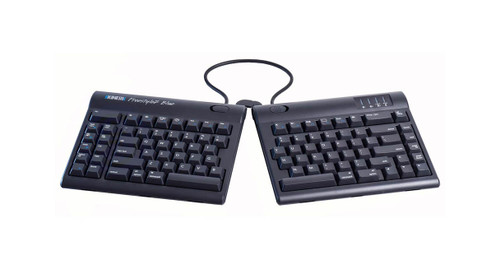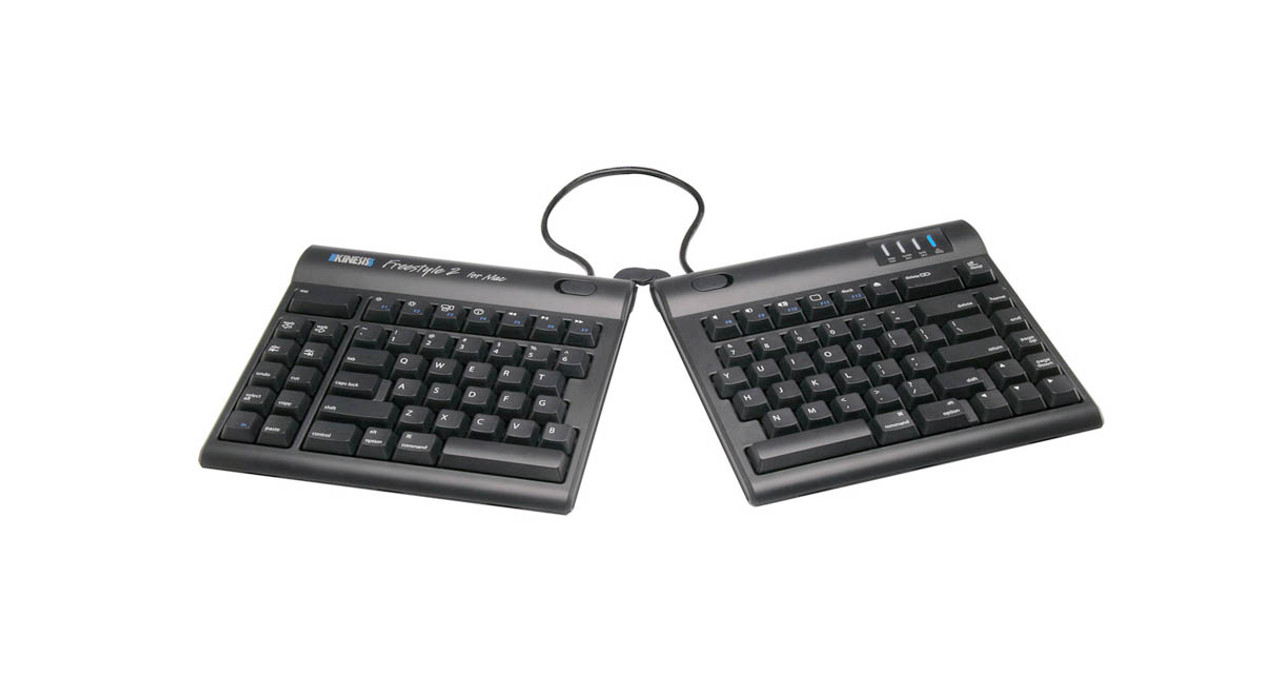


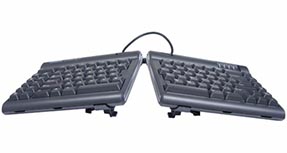
Mac users, it's your turn. Take part in the growing ergonomic revolution with the Freestyle2 Ergonomic Keyboard by Kinesis.
Split, splay, and tent this handy work accessory for better positioning of the hands, wrists, and arms. You'll increase productivity with its quiet and driver-less hotkeys, giving you time to focus on more important things - your work.
Features
- Narrow footprint allows for comfortable mousing within your neutral reach zone
- Hotkeys including cut, copy, and paste require less repetitive typing and mousing
- Pivot tether allows for room between the two keyboard halves
- Wired keyboard plugs into USB ports
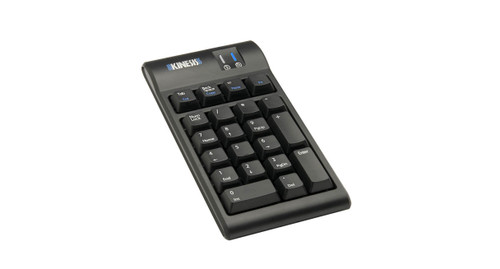
- Accessories easily attach or detach to keyboard
- Quiet, tactile keys are rated at 10 million operations for long life
- Design reduces chance of injury and improves overall productivity
- Standard keyboard offers nine inches of separation; the extended freestyle offers 20 inches of separation and has a longer cord between the two keyboard halves
Specifications
| Dimensions | 15.375" L x 7.25" D |
| Key height | 1.125" |
| Weight | 2 lbs, 3 oz |
| Connectivity | USB Wired |
| USB cable | 6 ft |
| Warranty | Limited 2 years |
Kinesis Freestyle2 Adjustable Split Keyboard Model
Black with 9 Inch Separation [KB800PB-US]
The Kinesis Freestyle2 Ergonomic Keyboard for Mac is available in both a standard model as well as the extended version. The standard Freestyle2 for Mac keyboard features 9 inches of separation, which works for most users.
Black with 20 Inch Separation [KB800PB-US-20]
The extended Freestyle2 for Mac offers 20 inches of separation between the split keyboard halves, and it works well for users with very broad shoulders or for someone who would like to angle their keyboards up to 90° with the Ascent accessory.
Kinesis Freestyle2 for Mac Accessory
V3 Accessory Kit
With the Kinesis V3 Accessory Kit, tent the Freestyle2 keyboard for Mac to 5, 10 or 15 degrees. The V3 accessory tents the two split keyboard halves without the palm rests. The V3 can be used with or without the optional tether.
VIP3 Accessory Kit
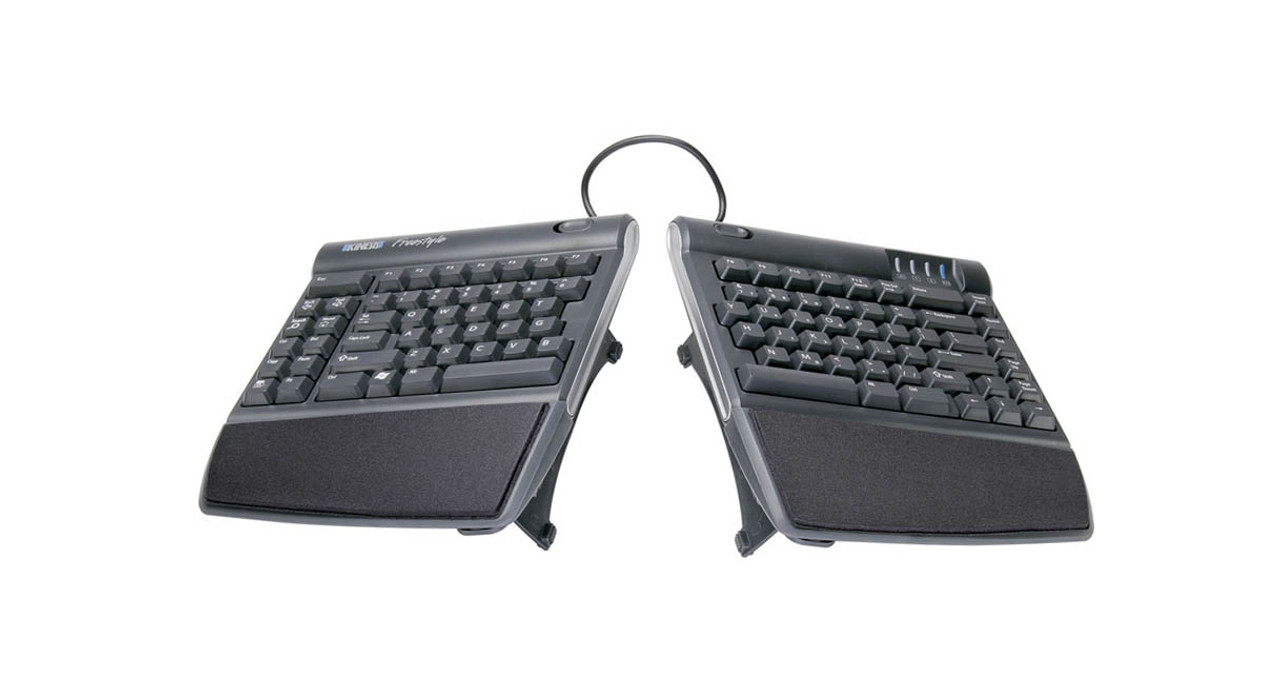
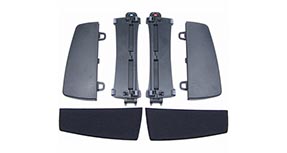
The Kinesis VIP3 Accessory Kit easily attaches to your Freestyle2 keyboard for Mac and allows for fast and easy slope settings of 5, 10 or 15 degrees. Features of the VIP3 accessory include:
- Left and right V-lifters which define the slope of the keyboard
- Integrated palm supports
- Maximum flexibility with the pivot/tether, allowing the user adjust both the splay and the distance between keyboard halves
- A stable platform with no bounce
Ascent Accessory Kit
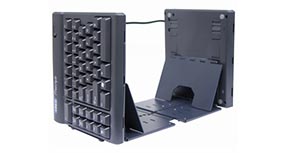
For the ultimate in angle flexibility, we recommend the Kinesis Ascent Multi-Tent Accessory which allows for vertical typing with the ability to choose any angle between 20 and 90 degrees. The Ascent Multi-Tent Accessory eliminates all twisting of the forearms and pronation of the wrists. The Ascent accessory includes:
- Two multi-angle tenting modules, which attach to each side of the keyboard
- Each module is independently adjustable and can be set to different angles
- Ascent includes a linking plate, which may be used to connect the modules
- Left-right separation is limited only by the keyboard's linking cable
- Accessory works with the standard Freestyle2 for Mac, but is recommended for the Freestyle2 Extended keyboard with 20 inches of separation
Jar Opener
Don't let a jar of pickles, olives, or your grandmother's jam cause pain or injury. Trying to open a stubborn jar requires high hand forces which lead to unnecessary strain. A jar opener decreases the grip strength necessary to open the often-stuck jar. Keep your hands safe with an UPLIFT jar opener, free with your purchase.
8 Reviews Hide Reviews Show Reviews

-
20 inch separator is great
I really love this keyboard. It has a nice feel but is still reasonably quiet for the office. The 20 inch separator is amazing, I can place my hands as wide as I want. I admit my typing accuracy has decreased for some keys but my overall comfort is exponentially higher.
-
Buy with VIP accesory
Excellent keyboard. Very confortable ehen used with the VIP accesory.
-
Excellent keyboard with the vip3 accessory
I just received the unit today, assembly was very easy and I'm loving the ability to space out my hands. I've looked into seperated keyboards because of my wrist problems, and it's amazing how the high tenting and the spacing really helps alleviate strain. Also, the mac hotkeys are great, many ergonomic keyboards don't come with mac options so this keyboard wins the token. Highly recommend! Also, the action of the keyboard is quite nice, it's amazingly easy to type fast due to the low 45g key action. Still not mechanical cherry switches, but pretty darn good.
-
Kinesis Freestyle2 Ergonomic Keyboard for Mac
This product is fantastic and after only a couple of months using the keyboard the pain in my wrists has virtually subsided so mission accomplished. The only things that prevented me from giving 5 stars are the following: 1) The picture on the website is a little misleading as it suggests that the keyboard is wireless, however it is not a wireless keyboard. 2) If the colour of the keyboard was white and silver to match the Mac iPad that would be awesome.
-
Great Product
Well constructed, very user friendly, comfortable. I have "tennis elbow" and keyboard a lot. This keyboard is just fantastic for reducing the pressure and tension on my wrists and theyefore, elbow. What was especially cool for me was that I wrote the company, requesting advice, and I got a prompt and friendly response that was very informative and helpful. Great product; solid company! Right on!
-
Almost a 5 star
All things considered, I think it's a pretty good keyboard.
Pros:
- Key action is awesome. So much easier to press the keys than my old MS natural elite.
- The split keyboard design along with the VIP adjustment kit allow you to customize the placement in ways that other keyboards can't compete with
- I've been having less RSI issues with this keyboard. (To be fair though, I have done a lot of things to help with my treatment so I can't say for sure that this keyboard did the job).
Cons:
- I have one major con that irritates me on a daily basis. I bought the mac version of the keyboard and the function key only supports a full toggle rather than behaving like all other osx keyboards. It locks, and doesn't obey the os setting for making it behave differently. This may seem trivial, but it is extremely annoying because I use the function keys in both modes quite frequently throughout the day. Even more irritating is the company response to this in that they believe the existing functionality is "better" and are relatively dismissive of the idea that it should work like other OSX keyboards. My response from technical support was that they feel it's better like this and that they hope I get used to it.
I'm giving this 4 stars because I don't know of anything equivalent that has a properly functioning function key. Otherwise I'd rate it much lower and switch in a minute. -
Kinesis Freestyle2 Ergonomic Keyboard for Mac
i love it. no more wrist and hand pain. i did get the separator so that my arms are straight and the accessory that puts the "hill in the middle".
-
Average
I bought this because I had RSI in my wrists. It was a little difficult to get used to but after about a week I had it down pat. I found that it did not really help my RSI too much, the vertical mouse and a Wacom tablet seemed to do the trick. I still think it is a really good keyboard though and just because it didn't work for me so much doesnt mean it won't work for someone else.
This product comes standard with a 2-year limited warranty.
Return Information
- Return windows close 30 days after you receive your item.
- You are responsible for obtaining a Return Merchandise Authorization, the cost of shipping, and potential restocking fees, if the item has been opened.
- To start a return, or to view the full returns policy, click here.