Ergonomic Office Desk, Ergonomic Chair, and Keyboard Height Calculator


WORK AT YOUR PERFECT HEIGHT!
UPLIFT DESK
WORK BETTER.
LIVE HEALTHIER.
Calculate the ideal height for your ergonomic desk, ergonomic chair & keyboard
Our ergonomic assessment tool is a quick and easy solution for determining the ideal height for your sit-stand desk, ergonomic chair, keyboard tray, and monitor arm. Simply enter your own height. Always add your shoe height to your height (typically one inch but add more for high heals) to get correct measurements. The desk height calculator will provide a set of reliable baseline measurements to help you work with maximum comfort and efficiency.
Tips for using the ergonomic adjustment tool
- Adjust your workstation to vary posture throughout the day; standing while using the computer helps vary your posture the most
- Using bifocal lenses can require lower monitor heights
- Your comfort is most important. If a specific measurement feels uncomfortable or awkward, reposition your equipment so that it feels more comfortable
- This calculator is not intended as a substitute for professional on-site ergonomic assessment
- Email or print the results for future reference
- Note that these measurements use an average of male and female anthropometric dimensions. Data is based on the 1988 Anthropometric Survey of United States Army Personnel. Ethnic and population differences can vary slightly.
Start here by selecting your height with shoes onswitch to metric |
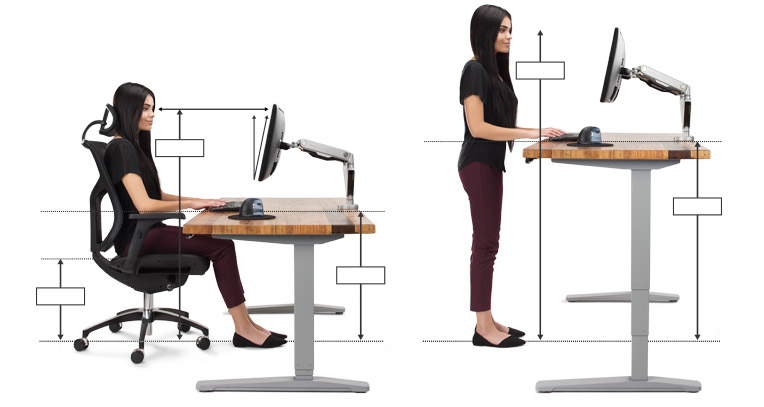
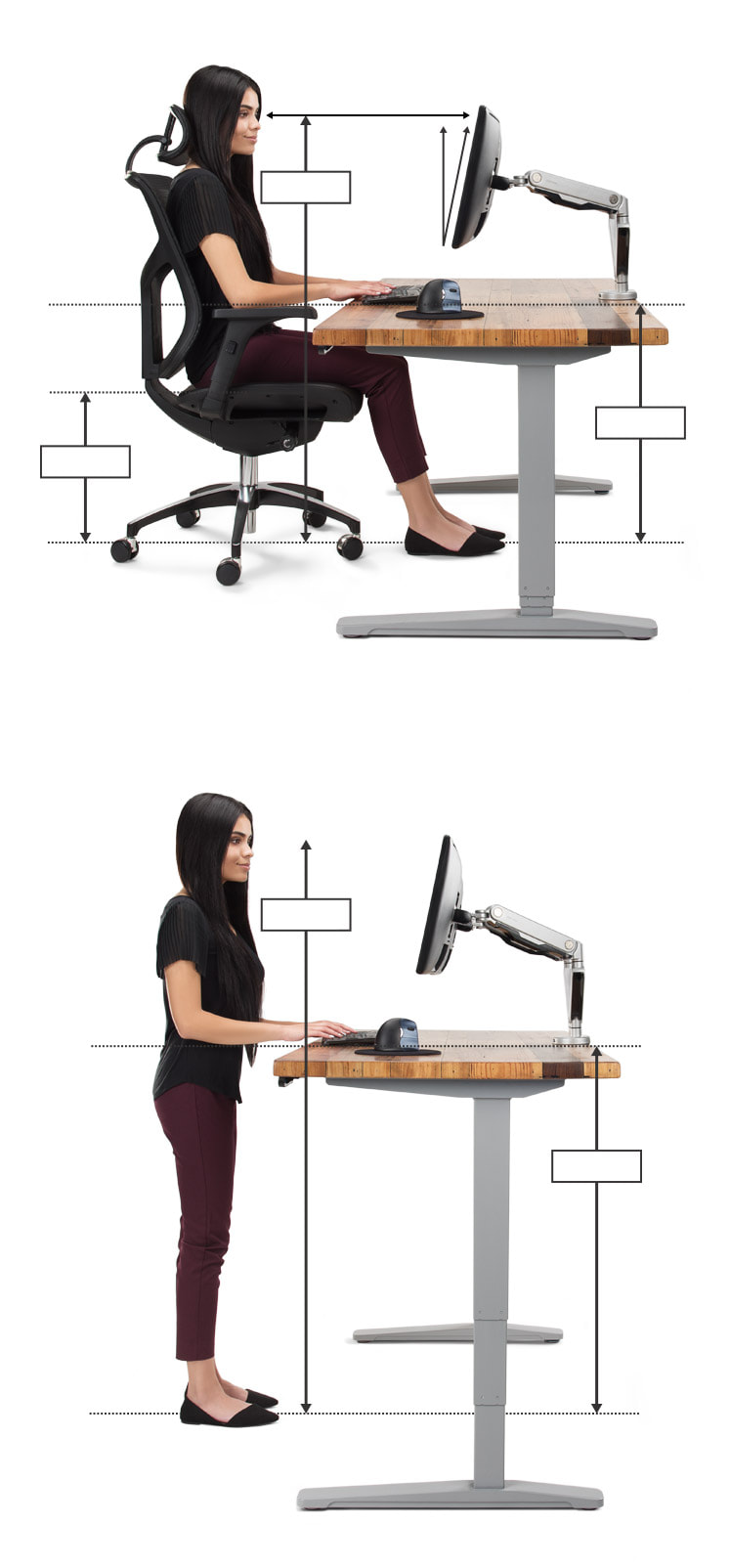
Standing
Eye Height
Range
Standing
Elbow
Height
Range
Sitting Eye
Height Range
Sitting
Elbow
Height
Range
Seat Height
Range
20'' - 30'' to Screen
10º - 20º Tilt
We make it easy to find the perfect fit
- Sit-stand desks are quickly becoming a popular trend in American workplaces. The idea is simple. By limiting the amount of time you spend seated in a given day, you can stave off a variety of potential health risks. Sit stand desks also allow you to easily raise and lower your keyboard and monitor to proper heights. Check out our stand up desks or fill out our height adjustable desk selector tool for some expert suggestions on which standing desk will work for you.
- An ergonomic chair is designed to fit your body and keep you comfortable over the course of an eight hour work day. Features such as seat depth adjustment and adjustable lumbar support allow you to vary your posture and stay efficient. View our selection of ergonomic chairs or fill out our ergonomic chair selector tool for expert recommendations.
- A keyboard tray is a crucial, yet sometimes overlooked component of any proper ergonomic setup. The role of the keyboard tray is simple: to bring the keyboard to you so you don't have to adjust to it. This can add up to a significant impact on quite a few muscles and tendons. Take a look at our ergonomic keyboard trays or fill out our keyboard tray selector tool to get expert suggestions.
- A monitor arm is a highly adjustable arm that attaches to your desk, usually with a bolt-through or clamp mount. Once you have your monitor arm installed, you will be able to adjust your monitor as needed throughout the day. This is especially beneficial to your eyes and your neck. Shop for monitor arms at Human Solution or fill out our monitor arm selector tool to have one of our ergonomic experts provide recommendations.