



The Goldtouch V2 Adjustable Ergonomic keyboard - PC only has been discontinued. Please visit our sister site UPLIFTDesk.com and view the Keyboard and mouse page.
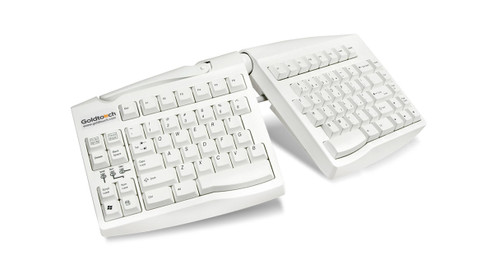
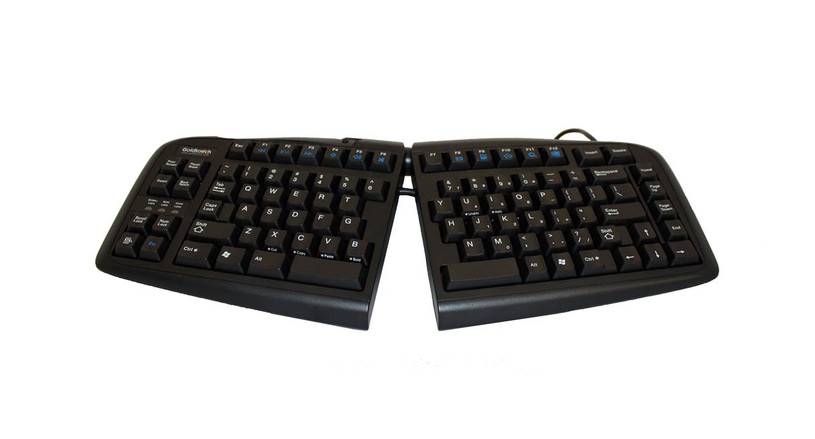
We could all use an upgrade at work, ergonomically speaking. The V2 Adjustable Ergonomic Keyboard for PC by Goldtouch is the handy accessory that reduces the strain associated with typing many hours of the day.
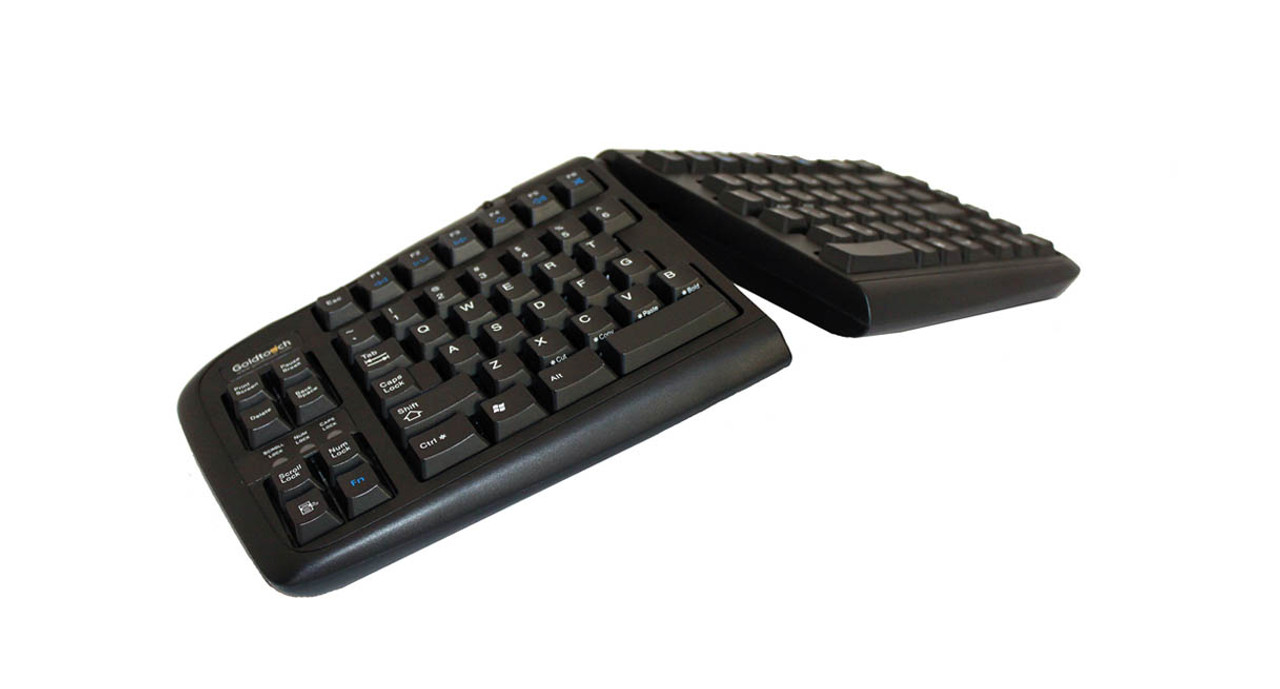
Its dynamic design and effortless adjustability allow the you to split and tent the keyboard to your liking, keeping wrist stress at bay while working.
It's ideal ergonomics, made just for you.
Features
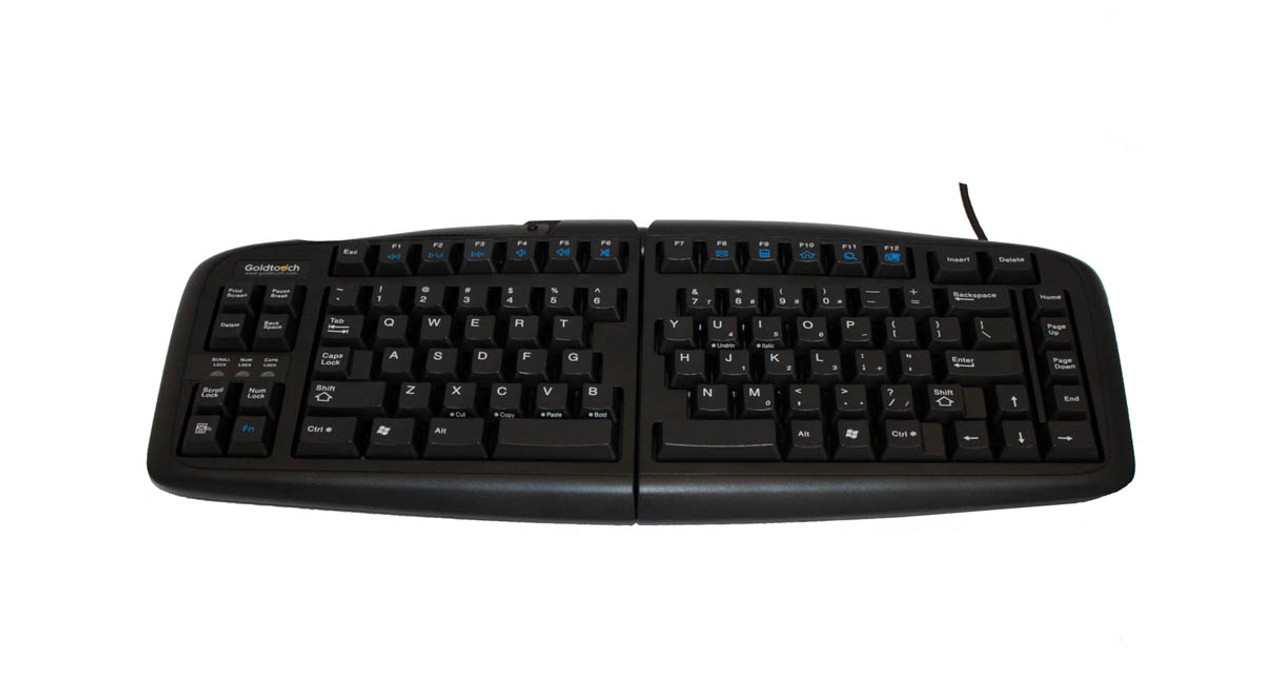
- Smart Fit Adjustability design enhances keyboard for customizable adjustment
- Redesigned soft touch keys reduce the risk of repetitive stress injuries
- Overall shape was redesigned to offer a more natural fit
- New hotkeys offer shortcuts to volume control, email, search, and media play
- Patented lever locking system updated for better stability
- Plug and play for PC
- Small, space-saving footprint
- Compatible with all versions of Windows, Linux, and Unix
- Wired USB
Specifications
| Closed dimensions | 16.25" W x 6.75" D x 1.25" H |
| Open dimensions | 18" W x 7-10" D x 4.5" H |
| Weight | 3.3 lbs |
| Horizontal plane adjustment range | 0°-30° |
| Vertical tenting adjustment range | 0°-30° |
| Connectivity | USB Wired |
| USB cord length | 6 ft |
| Warranty | 1 year |
Goldtouch V2 Adjustable Ergonomic Keyboard
UPLIFT USB Hub
For extra convenience, the Goldtouch V2 Adjustable Keyboard is also available with an optional 10-port UPLIFT USB hub. These self-powered USB 2.0 compatible hubs can provide an sleek, handy way to connect your USB-compatible devices to your computer without the need to connect them directly to your computer or remove existing devices.
Goldtouch V2 Adjustable Ergonomic Keyboard
Goldtouch Numeric Keypad
The Goldtouch Numeric Keypad is a great addition to the Goldtouch V2 Adjustable Keyboard. This keypad features two integrated USB hubs for mice, low power devices, and USB memory sticks. There are also several calculator functions, including MS, M+, MC, and MR, so there's no need for an additional calculator taking up desk space in your neutral reach zone.
Goldtouch V2 Adjustable Ergonomic Keyboard
Goldtouch Mouse
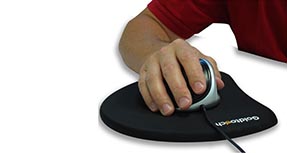
The right-handed Goldtouch Ergonomic Mouse is offered for $15.00 with this keyboard bundle (regularly $59.00). The popular Goldtouch Ergonomic Mouse treats and prevents repetitive stress injuries caused by traditional mice by decreasing hand fatigue and discomfort for users with its unique, contoured shape. The body of the mouse supports a neutral wrist angle of 20° - 30° as shown in the image below. The Goldtouch Mouse design also offers longer buttons with a low click force, allowing users with different sized hands to comfortably use the same mouse while minimizing the pressure needed to click the buttons. You may also choose the left handed version for a discounted price of $39.00.
16 Reviews Hide Reviews Show Reviews
-
Prefer The Old Design
I've had an older version of this keyboard at my office for more than 15 years and I love it. This new version feels quite uncomfortable compared to my old one. It could be a question of getting used to it but I'm not currently satisfied with the design.
-
goldtouchkeyboard
This keyboard is not as well made as the price would suggest. It needs risers on the back so it can sit up rather than flat. The instructions say it has 4 feet--it does not. If used on a keyboard shelf, the wedge feature is useless. The feel of the keyboard is good. It needs a numeric keypad.
-
goldtouchkey
Took some getting use to. Hand placement is still sometimes a key off to the left; typing numbers - I want to go to the side, but remember that I have to use the top row.
-
the best decision I ever made
After having been burned by spending the money for the safetype keyboard, (that was by far, the most expensive mistake I'd made).. and other "ergonomic" keyboards..
I decided to give this keyboard a shot.. It is absolutely the best investment I made for myself to combat carpal tunnel syndrome and RSI..
I am a program systems analyst, and programming and computers are not just a job.. they are my career, and LIFE! This keyboard is EVERYTHING it claims to be.. solid, beautiful, with just the right tactile feedback.. It's tenting features make a difference.. one word of advice.. If you are not going to use this for numbers, when you start the system disable the numlock key, as I didn't realize was the reason why windoze wasn't accepting my log-on password.. other than that.. I am buying three more from this company.. fast, reliable shipping, awesome price and they gave me a coupon code that knocked off a few dollars,.. throw in the live chat, (and yes.. you are chatting with REAL humans, that know their and product and USE their products.. (Lori, you are the BEST!!!).. Buy this keyboard.. I happily used it to type this review. Way to go Goldtouch!! -
SKR4200U
This is my second typing because when I tried to use the print this page function I lost my review. The locking handle broke on the initial set-up and is non-functional. I am forced to use the keyboard "straight" without the advantages of a wedge. Since the keyboard is on my desk and not on a lower computer shelf, I had to prop the rear of the keyboard up 3 inches to make it easier to type. Getting used to it even though I have to rest the rear of my foreams on the edge of my desk to make it easier to type on your "thicker" keyboard design. The "Num Lock" function can never replace a numerical key pad for me. I wish there were shortcut instructions for the F keys and how to use the Print Screen function. What is Pause Break? Were all these negatives worth the extra cost??? The only positive review I can give you is the split keyboard separating the two halves, which is what prompted me into the purchase. I won't try to "Print This Page" again.
-
GTN-0077 is awesome!
I've been using Goldtouch keyboard for over 10 years and had to first get used to the split keyboard but once I did, my hand and wrist did not feel the strain they normally do to cause tendonitis in both arms. I order a new Goldtouch just last month (Dec.09) because my old one that I've been using for the past 5 years was having the space bar stick. The new GTN-0077 that I got is so much better!
The keys are much softer to press than the original ones I had. It doesn't make as much noise and I don't have to press hard to type. This eliminates muscle strain in both hands. It's almost like gliding on air. I absolutely love it! -
Pain Saver
I had been having severe shoulder & neck pain along with headaches....after only 1 week of using this new keyboard, the pain disappeared.
-
Cured my upper arm tendonitis
I was using the MS Natural Keyboard for years, and one morning I woke up with severe acute onset tendonitis. The compact size of this keyboard alleviated the pain within a week.
Only 4 stars because some of the keys are in odd positions, which requires a bit of relearning. -
So far, So good
So far, it seems to work fine, but I'm having trouble finding just the right position that also allows me to reach the keys easily -- especially the Enter key with my pinky (I'm a touch typist).
This product comes standard with a 1-year warranty.
Return Information
- Return windows close 30 days after you receive your item.
- You are responsible for obtaining a Return Merchandise Authorization, the cost of shipping, and potential restocking fees, if the item has been opened.
- To start a return, or to view the full returns policy, click here.