Effective 11/15/2021, Humanscale will require a signature upon delivery for all FedEx shipments.
The Humanscale 800 Radiused Keyboard Tray has been discontinued. For a similar product, please visit our sister site UPLIFTDesk.com and view the Keyboard Tray System Builder page.
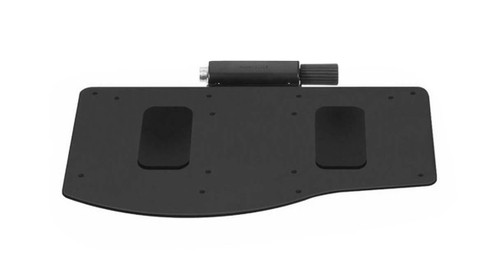
You deserve a workstation with a keyboard setup that's as individual as you are. The Humanscale 800 Radiused Keyboard Tray can help bring your curved workspace or cockpit-style desk to the next level, ergonomically speaking.
The tray is designed to fit within the curved edge of a radiused corner, letting users mount a keyboard tray where they couldn't before. Get closer to your work and type in a more supportive position; negative tilt keying can help to keep wrist strain at bay, letting you task in much more comfort than you ever thought was possible.
The Humanscale 800 keyboard platform design fits most keyboards and desks with 11 inches or more of depth. Select the mechanism, mouse platform, palm rest, and other customizable features to build your ideal workstation of dreams.
Features
- Easily configured to meet your specific needs
- Keyboard platform design fits most keyboards and desks with 11" or more of depth
- 800 board offers a radius on the back edge of the platform to better fit corner desks or workstations with small keyboard tray cutouts
- Made of phenolic - an ultra-strong, remarkably thin (1/4") composite that's nontoxic, durable, and easy to clean
- The platform's design works with all the mousing platforms options available and will fit most desks, including corner desks
Specifications
| Mechanisms | 9 adjustable arms available |
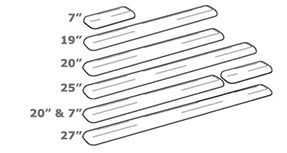
| Track lengths | 11" - 27" for varying desk depths |
| Mousing surface | 13 clip-on and swivel options |
| Palm rests | Available in foam or gel |
| 800 platform dimensions | 19" W x 12.625" D |
| Warranty | 15 years |
Color
The Humanscale 800 Radiused Keyboard Tray is only available in Black.
Promotional Item
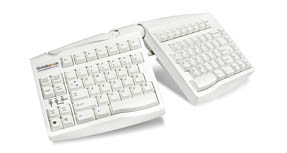
FREE Goldtouch Adjustable Keyboard GTN-0033
This keyboard's split design promotes a more natural and ergonomic typing position.
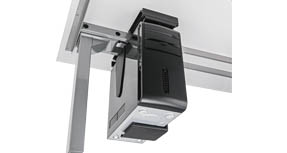
Free UPLIFT CPU Holder
Clear up desktop space and keep your computer tower off the floor by mounting it to the underneath of your desktop. This accessory is great for height-adjustable desk users.
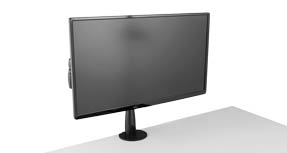
FREE UPLIFT Single Monitor Arm
Mount a monitor weighing between 4.5 lbs - 17.5 lbs, and adjust the height, depth or lateral position with easy fingertip adjustment.
Humanscale Keyboard Mechanisms
2G mechanism
Loosen knob to adjust and lock back into place. Unlike the 5G or 6G, this mechanism has no reference for keyboard platform angle.
| Height adjustment | 6.25": 1.25" above track to 5" below track |
| Track length | Comes standard with 22" track |
6G mechanism
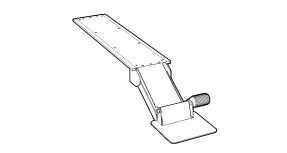
Humanscale's newest dial-a-tilt mechanism that instantly adjusts the platform's tilt without the need to lock or loosen any knobs or levers and slimmer than the 5G.
| Height adjustment | 7": 1.75" above track to 5.25" below track |
| Track length | Comes standard with 22" track |
5G mechanism
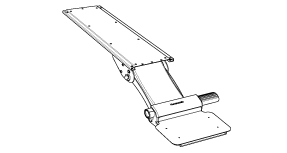
The dial-a-tilt mechanism instantly adjusts the platform's tilt without the need to lock or loosen any knobs or levers. Its solid build quality and simplicity make this mechanism the most popular mechanism Humanscale offers.
| Height adjustment | 6.25": 1.25" above track to 5" below track |
| Track length | Comes standard with 22" track |
5GSM mechanism for limited-depth desks
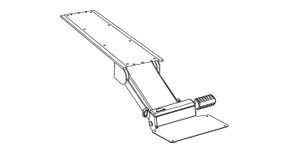
This mechanism goes 4" farther underneath a desk surface, getting a keyboard tray stored out of the way on a shorter track, perfect for desks with limited depth or small spaces.
| Height adjustment | 4": 0.5" above track to 3.5" below track |
| Track length | Comes standard with 18" track |
5GAD mechanism for above-desk use
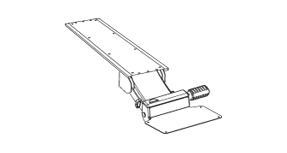
This mechanism's greater-than-average adjustment range is ideal for sit-to-stand workstations, featuring steel construction for stable keying and mousing.
| Height adjustment | 13.5": 7.5" above track to 6" below track |
| Track length | Comes standard with 27" track |
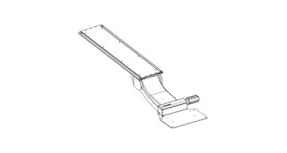
KM mechanism
This mechanism features a pre-set 0 degree tilt and knob-free adjustment.
| Height adjustment | 6.25": 1.25" above track to 5" below track |
| Track length | Comes standard with 22" track |
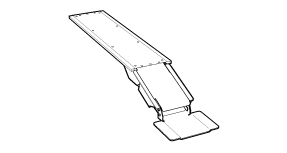
Lateral Slider
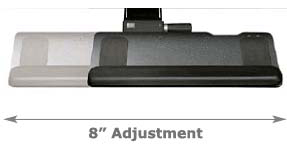
All Humanscale mechanisms pivot 360 degrees from the point where it is mounted to the track. Some users have a need for additional side-to-side adjustability. The lateral slider provides for eight extra inches of movement from right to left. This is a useful feature for someone at a large workstation that requires them to type facing different angles or monitors.
Mouse Platform
Clip Mouse - Mousing Platform
The clip mouse platform is the only mouse platform that allows the user total adjustment control in all three dimensions- height, depth, forward/back and tilt, allowing it to be adjusted precisely the way you need it. It also easily snaps onto either side of the tray for left or right use, and it's available in two sizes and different height ranges.
Note: The high clip has an extra one inch height for additional adjustment and usability and is the most popular accessory we sell.
| 90H | 8.5'' diameter high |
| 90 | 8.5'' diameter |
| 91H | 10'' diameter high |
| 91 | 10'' diameter |
| 90H90H | 8.5'' diameter high - Dual platforms for left and right |
| 91H91H | 10'' diameter high - Dual platforms for left and right |
Swivel Mouse - Mousing Platform
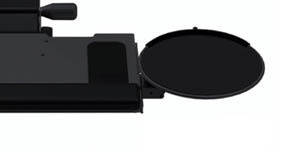
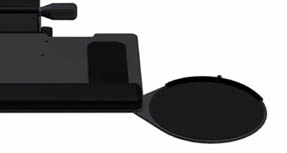
The swivel mouse mounts underneath either the left or right front corner of the platform. It swivels out from underneath the keyboard platform easily and tucks out of the way when not in use. This mouse platform is available in right, left and dual configurations. The main difference between the clip mouse and swivel mouse is the adjustability. The swivel platform stays on the same tilt or angle as the keyboard tray; the clip mouse angle can be adjusted independently.
| 11R | 8'' swivel right |
| 11L | 8'' swivel left |
| 11D | 8'' swivel dual - Dual platforms for left and right |
| 12R | 10'' swivel right |
| 12L | 10'' swivel left |
| 12D | 10'' swivel dual - Dual platforms for left and right |
M2 Mouse - Mousing Platform
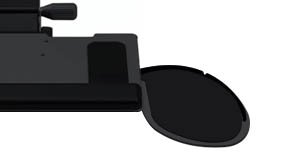
The M2 offers all the advantages of the swivel mouse, but it is slightly larger and offers a uniquely shaped platform. This lets a user bring the mousing surface closer to their body for a lower risk mousing position.
| 81R | M2 right |
| 81L | M2 left |
| 81D | M2 dual - Dual platforms for left and right |
Palm Support
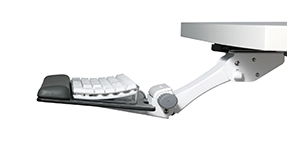
Select from two different 19" palm rest options for your Humanscale 800 Radiused Keyboard Tray: foam or gel. Both are covered with an easy to clean, black synthetic leather. A 19 inch slim gel palm rest with synthetic leather cover is also available for users with thin keyboards. The slim palm rest is only about a quarter of an inch thick and is available in black or silver. Slim palm rests are not compatible with swivel mouse platforms.
When designing your Humanscale 800 Radiused Keyboard Tray, if you choose to not add a palm support, there will be holes located at the installation points on the tray.
This is normal and part of the keyboard tray's design, but if you do not want a palm rest and installation holes in your tray, we suggest ordering another keyboard tray.
If you have any questions or need help choosing a keyboard tray, please don't hesitate to call us!
Track Length
The track mounts to the underside of your work surface. It directs and supports the Humanscale mechanism and keyboard tray as it slides forward and back. Standard length on most mechanisms is 21 5/8 inches. That length ensures that the keyboard tray can be completely stowed under your desk when not in use. Some mechanisms come standard with a shorter or longer track. Consult each description for that information, but all systems can be ordered with any track length.
Mouse Pad
The Humanscale 800 Radiused Keyboard Tray can be ordered with a black mouse pad to fit any of the available mousing platforms.
| 8.5'' swivel platforms | MPGEL8 8.5'' gel mouse pad |
| 10'' swivel platforms | MPGEL10 10'' gel mouse pad |
| 90 or 90H clip platforms | CMPGEL8 8.5'' gel mouse pad |
| 91 or 91H clip platforms | CMPGEL 10'' gel mouse pad |
Second Mouse Pad
Add a mouse pad to your optional second mouse platform if desired.
Warranty Policy
Visit Humanscale for the warranty policy for this particular product.
Return Policy
Humanscale products cannot be returned.